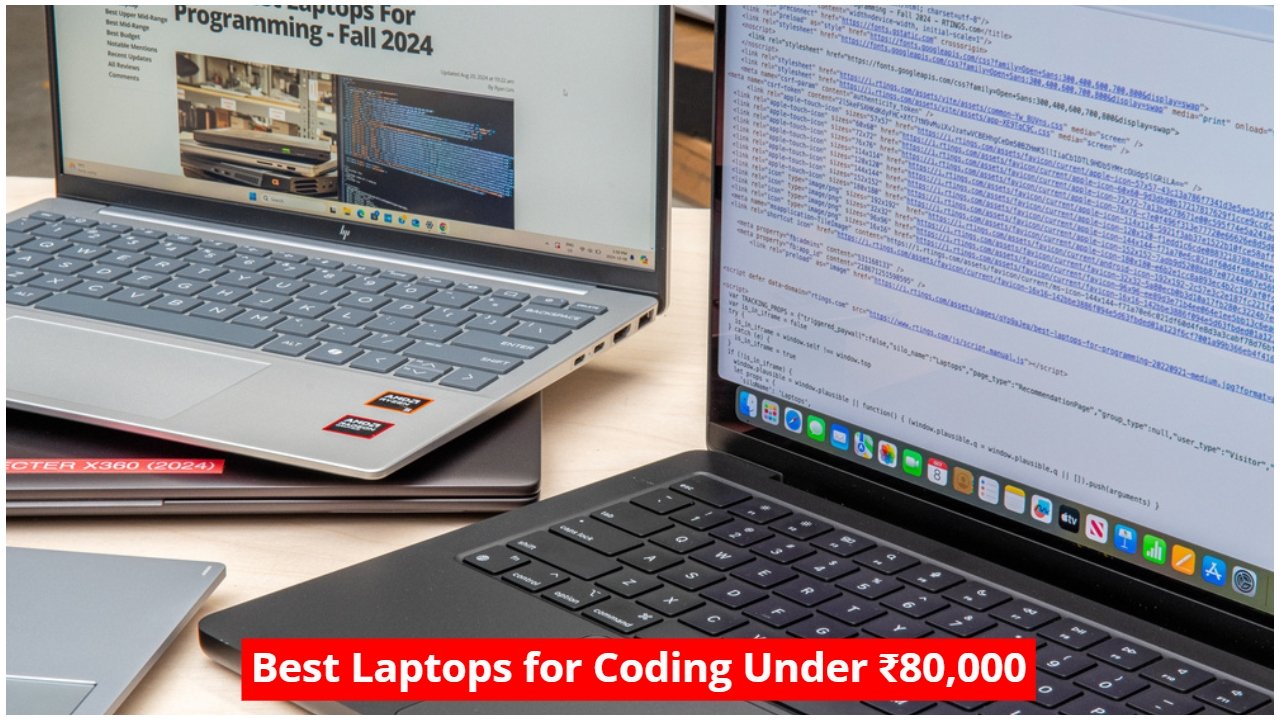
16 November 2026: Looking for the best laptop for coding under ₹80,000 in 2026? Here are five options for college students, featuring capable processors, SSD storage, displays and configurations for programming.
Best Laptops for Coding Under ₹80,000 in India
Choosing the right laptop for programming can make a noticeable difference to your college experience. Whether you are learning Python, developing websites, working with Java or exploring software development, you need a machine that can handle your daily workload without unnecessary slowdowns.
However, processor performance alone should not decide your purchase. RAM, SSD storage, keyboard comfort, display quality and battery life also matter, particularly when you spend several hours writing and testing code.
With a budget of ₹80,000, students have several options worth considering. Moreover, some laptops offer 16GB RAM and powerful processors, while others focus on portability, larger displays or the macOS experience.
Also Read: Before You Buy a Vivo Phone Look at This Price List! You Might Change Your Mind, Know The Details
Here are five laptops under ₹80,000 that you can consider for coding and programming in 2026.
1. Dell 15 – Intel Core Ultra 5 Processor
Price: ₹79,990
The Dell 15 is an option for students who want a Windows laptop with a modern Intel processor and 16GB of RAM. It features the Intel Core Ultra 5 225H processor, which offers 14 cores and a maximum boost frequency of up to 4.9GHz.
Additionally, Dell pairs this processor with 16GB DDR5 RAM and a 512GB SSD. This configuration can handle everyday programming workloads, including running development environments, compiling code and working with multiple browser tabs.
For graphics, the laptop uses integrated Intel Arc graphics. Therefore, it can handle regular graphics-related development work, although it is not a replacement for a dedicated graphics card when running demanding GPU workloads.
Moving to the display, the Dell 15 features a 15.6-inch Full HD screen with a resolution of 1920 × 1080 pixels. It supports a 60Hz refresh rate and offers up to 300 nits of brightness. Meanwhile, its approximately 1.8kg weight makes it reasonably portable for everyday college use.
Also Read: Planning to Buy a Vivo Phone? V80, S2 and Y11 5G Just Got More Expensive!
Other features include a backlit keyboard, USB Type-A, a full-function USB Type-C port, HDMI, Wi-Fi 6 and a 3.5mm audio jack. However, its 41Wh battery is something students should consider if they frequently work away from a power outlet.
Key Specifications:
| Feature | Details |
|---|---|
| Processor | Intel Core Ultra 5 225H, 14 cores, up to 4.9GHz |
| RAM | 16GB DDR5 |
| Storage | 512GB SSD |
| Graphics | Integrated Intel Arc |
| Display | 15.6-inch Full HD, 60Hz, 300 nits |
| Battery | 41Wh |
| Operating System | Windows 11 Home |
| Weight | Approximately 1.8kg |
| Price | ₹79,990 on Amazon |
2. HP 15 – AMD Ryzen 7 7730U
Price: ₹68,800
If you want to save some money while getting a laptop with 16GB RAM, the HP 15 is worth a look. It runs on the AMD Ryzen 7 7730U processor, which features eight cores and 16 threads with a maximum boost frequency of up to 4.5GHz.
Moreover, the laptop includes 16GB DDR4 RAM and a 512GB PCIe NVMe SSD. This combination provides enough memory and storage for common student workloads, including programming assignments, web development, research and multitasking.
For graphics, HP uses integrated AMD Radeon graphics. Although this configuration is suitable for everyday development, students planning to work with demanding 3D applications or GPU-intensive projects should consider a laptop with a dedicated GPU.
The HP 15 features a 15.6-inch Full HD display with a micro-edge design and 250 nits of brightness. However, its display brightness is lower than the Dell 15’s, which may matter if you regularly work in brightly lit environments.
One advantage is its weight of approximately 1.59kg. Consequently, carrying it between home, college and the library should be easier than carrying some larger laptops.
Additional features include a 1080p webcam, privacy shutter, Wi-Fi 6 and Bluetooth 5.4. It also packs a 41Wh battery. According to HP, its fast-charging technology can charge the battery to approximately 50% in 45 minutes.
Key Specifications:
| Feature | Details |
|---|---|
| Processor | AMD Ryzen 7 7730U, 8 cores, 16 threads |
| RAM | 16GB DDR4 |
| Storage | 512GB PCIe NVMe SSD |
| Graphics | Integrated AMD Radeon |
| Display | 15.6-inch Full HD, 250 nits |
| Battery | 41Wh |
| Operating System | Windows 11 Home |
| Weight | Approximately 1.59kg |
| Price | ₹68,800 on Amazon |
3. Acer Aspire 5 – Lightweight Laptop for Programming
Price: ₹69,890
For students who frequently carry their laptops to college, the Acer Aspire 5 offers a combination of portability and capable hardware. It features the Intel Core Ultra 5 125H processor, which comes with 14 cores and a maximum boost frequency of up to 4.5GHz.
Additionally, Acer provides 16GB onboard LPDDR5 RAM and a 512GB PCIe Gen 4 NVMe SSD. The storage can be expanded up to 1TB, according to the provided specifications. However, students should remember that onboard RAM generally limits future memory upgrades.
The laptop uses integrated Intel graphics for visual processing. Therefore, it is suitable for regular programming, coding practice, web development and other everyday computing tasks.
One of its biggest advantages is the 14-inch WUXGA IPS display. It offers a resolution of 1920 × 1200 pixels and a 16:10 aspect ratio. Unlike a standard 16:9 screen, this format provides additional vertical space, which can be useful when viewing code, reading documentation and working with multiple lines in an editor.
Portability is another strong point. Weighing approximately 1.2kg, the Acer Aspire 5 is the lightest laptop among these five options. Meanwhile, its 54Wh battery offers a larger stated battery capacity than the Dell 15 and HP 15.
Other features include a Full HD webcam, USB Type-C, USB Type-A and HDMI connectivity. It also runs Windows 11 Home.
Key Specifications:
| Feature | Details |
|---|---|
| Processor | Intel Core Ultra 5 125H, 14 cores |
| RAM | 16GB LPDDR5 |
| Storage | 512GB SSD, expandable up to 1TB |
| Graphics | Integrated Intel Graphics |
| Display | 14-inch WUXGA IPS, 1920 × 1200, 16:10 |
| Battery | 54Wh |
| Operating System | Windows 11 Home |
| Weight | Approximately 1.2kg |
| Price | ₹69,890 on Amazon |
4. Asus Vivobook 16 – Large Display and Ryzen 7 Performance
Price: ₹69,990
If you prefer a larger screen for coding, reading documentation and working with multiple windows, the Asus Vivobook 16 is another option under ₹80,000. It features the AMD Ryzen 7 7840HS processor with eight cores and 16 threads. The processor can reach a maximum boost frequency of up to 5.1GHz.
However, there is one important limitation: this configuration comes with only 8GB of onboard LPDDR5X RAM. Although the processor offers strong performance potential, the limited memory could become a problem when running several applications simultaneously.
The laptop also includes a 512GB PCIe NVMe SSD and integrated AMD Radeon graphics. Consequently, it can handle general programming, web development and everyday productivity tasks, but students should carefully consider the memory limitation before purchasing it.
Its 16-inch WUXGA IPS-level display is one of its main attractions. The screen offers a resolution of 1920 × 1200 pixels, a 60Hz refresh rate, 300 nits of brightness and a 16:10 aspect ratio. Moreover, the larger screen provides more workspace for code editors, terminals and documentation.
The laptop weighs approximately 1.85kg and packs a 52.5Wh battery. For connectivity, Asus provides USB Type-C with display output and Power Delivery support, USB Type-A, HDMI 2.1, Wi-Fi 6 and a 3.5mm audio jack.
Overall, the Vivobook 16 makes sense for students who prioritise a larger display and a capable processor. Nevertheless, its 8GB RAM configuration is a significant drawback for programming-related multitasking.
Key Specifications:
| Feature | Details |
|---|---|
| Processor | AMD Ryzen 7 7840HS, 8 cores, 16 threads |
| RAM | 8GB LPDDR5X |
| Storage | 512GB SSD |
| Graphics | Integrated AMD Radeon |
| Display | 16-inch WUXGA, 16:10, 60Hz, 300 nits |
| Battery | 52.5Wh |
| Operating System | Windows 11 Home |
| Weight | Approximately 1.85kg |
| Price | ₹69,990 on Amazon |
5. Apple MacBook Neo – An Option for macOS Development
Price: Around ₹71,890
Students interested in Apple’s ecosystem can also consider the MacBook Neo. It offers a compact design, a high-resolution display and Apple’s A18 Pro chip, making it an alternative to Windows laptops for general programming and web development.
The A18 Pro features a six-core CPU, a five-core GPU and a 16-core Neural Engine. Additionally, the laptop comes with 8GB unified memory and 256GB SSD storage. It runs on Apple’s macOS operating system.
For programming, the MacBook Neo can handle general coding, web development and development tools that support macOS. However, students should check software compatibility before buying it, particularly if their college coursework requires Windows-only applications or specific development environments.
Its 13-inch Liquid Retina display offers a resolution of 2408 × 1506 pixels and up to 500 nits of brightness. Moreover, it supports one billion colours, making the screen suitable for everyday work and multimedia use.
The MacBook Neo features an aluminium body and weighs approximately 1.2kg. Therefore, it is a convenient option for students who value portability.
For video calls, Apple includes a 1080p FaceTime HD camera, dual microphones and dual speakers with Spatial Audio and Dolby Atmos support. Meanwhile, its 36.5Wh battery offers up to 16 hours of video streaming, according to Apple.
Connectivity options include two USB-C ports and a 3.5mm headphone jack. Nevertheless, its 8GB unified memory and 256GB storage deserve careful consideration, especially if you plan to install several development tools and work with large projects.
Key Specifications:
| Feature | Details |
|---|---|
| Processor | Apple A18 Pro, six-core CPU |
| RAM | 8GB unified memory |
| Storage | 256GB SSD |
| Graphics | Integrated five-core Apple GPU |
| Display | 13-inch Liquid Retina, 2408 × 1506, 500 nits |
| Battery | 36.5Wh |
| Operating System | macOS |
| Weight | Approximately 1.2kg |
| Price | Around ₹71,890 on Amazon |
Which Laptop Is Best for Coding Under ₹80,000?
Choosing between these five laptops depends on your programming requirements, preferred operating system and daily workload. However, RAM should be one of your main priorities because modern development environments, browsers and other tools can consume considerable memory.
Among these options, the Dell 15, HP 15 and Acer Aspire 5 offer 16GB RAM. Therefore, they are worth prioritising if you regularly work with IDEs, multiple browser tabs, terminals and development tools.
The Acer Aspire 5 stands out for its lightweight design and 16:10 display. Additionally, its 16GB RAM and Intel Core Ultra 5 processor make it an interesting option for students who frequently carry their laptops to college.
Meanwhile, the HP 15 offers a lower purchase price while retaining 16GB RAM. It could be worth considering if you want to stay comfortably below the ₹80,000 budget.
The Dell 15 offers a newer Intel Core Ultra processor and DDR5 memory. However, its ₹79,990 price leaves very little room in your budget for accessories or additional storage.
On the other hand, the Asus Vivobook 16 offers a larger display and Ryzen 7 7840HS processor, but its 8GB RAM configuration makes it less attractive for heavy multitasking. Similarly, the MacBook Neo is worth considering if you prefer macOS, but its memory, storage and software compatibility require attention.
Before making your final decision, check the exact model number, RAM upgrade options, storage configuration, warranty and current selling price. Moreover, remember that listed prices can change depending on retailer offers and availability.
What Should College Students Look for in a Coding Laptop?
Before spending ₹80,000 on a laptop, consider the following factors to avoid choosing a machine that struggles with your future requirements.
RAM: Aim for at least 16GB RAM if your budget allows it. Although 8GB can handle basic programming, 16GB provides more flexibility when running IDEs, browsers and multiple applications together.
Processor: Choose a capable modern processor that can handle compilation, multitasking and everyday development workloads. However, do not judge a processor only by its core count or advertised boost frequency.
SSD Storage: A 512GB SSD is a practical starting point for most college students. Additionally, it provides room for development software, project files and other applications.
Display: A Full HD or higher-resolution display is preferable for comfortable coding. Moreover, a 16:10 screen can provide additional vertical workspace when reading and editing code.
Keyboard: Since programming involves long typing sessions, check the keyboard layout, key travel and overall typing comfort before buying.
Battery and Portability: If you attend college regularly, consider the laptop’s weight and battery performance. Consequently, a lightweight model can make everyday travel more convenient.
Final Verdict: For most college students working with a budget of ₹80,000, a laptop with 16GB RAM, a 512GB SSD and a capable processor is a sensible starting point. Compare the Dell 15, HP 15 and Acer Aspire 5 carefully before purchasing, as each offers a different balance of performance, portability and price.
Frequently Asked Questions
| FAQ | Answer |
|---|---|
| Which is the best laptop for coding under ₹80,000? | The Dell 15, HP 15 and Acer Aspire 5 are worth considering because they offer 16GB RAM and 512GB SSD storage. |
| Is 8GB RAM enough for programming? | 8GB can handle basic programming, but 16GB is a better choice for multitasking and modern development tools. |
| Is a 512GB SSD enough for coding? | Yes, 512GB is a practical starting point for programming software, project files and everyday applications. |
| Is a MacBook good for college students learning coding? | Yes, provided the required programming tools and college applications support macOS. |
| Which laptop is easiest to carry to college? | The Acer Aspire 5 and MacBook Neo are the lightest options in this list at approximately 1.2kg each. |
| Should I buy a laptop with a dedicated graphics card for coding? | Not necessarily. Integrated graphics are sufficient for most programming and web development tasks, although GPU-intensive work may require dedicated graphics. |